The Cost of a Missing File During a Move
Office relocations have a talent for making important things disappear. A client contract goes into an unlabelled box and surfaces three weeks later under a stack of stationery. A set of tax documents ends up in the wrong department's section. A folder of employee records gets separated from its cabinet and is left behind in the old office.
None of this is inevitable. A simple, consistent labelling and organisation system applied before the move eliminates nearly all of it. Here is a system small offices can set up in an afternoon and copy exactly.
Step 1: Create a Master Office Map
Before any packing begins, draw a simple floor plan of both the old office and the new one. In the new office plan, assign a zone code to every physical area:
- Zone A — Reception and front desk
- Zone B — Accounts and finance
- Zone C — Sales and operations
- Zone D — HR and administration
- Zone E — Server room and IT
- Zone F — Conference room
- Zone G — Storage and archives
Every item that goes onto the truck gets a destination zone code. Movers unloading at the new office simply need to read the label and carry each item to the correct zone — no asking questions, no guesswork.
Step 2: Establish a Box Numbering System
Give every box a unique number. Combine the zone code with a sequential number:
- B-001, B-002, B-003 — boxes from Accounts
- C-001, C-002 — boxes from Sales
- D-001 — box from HR
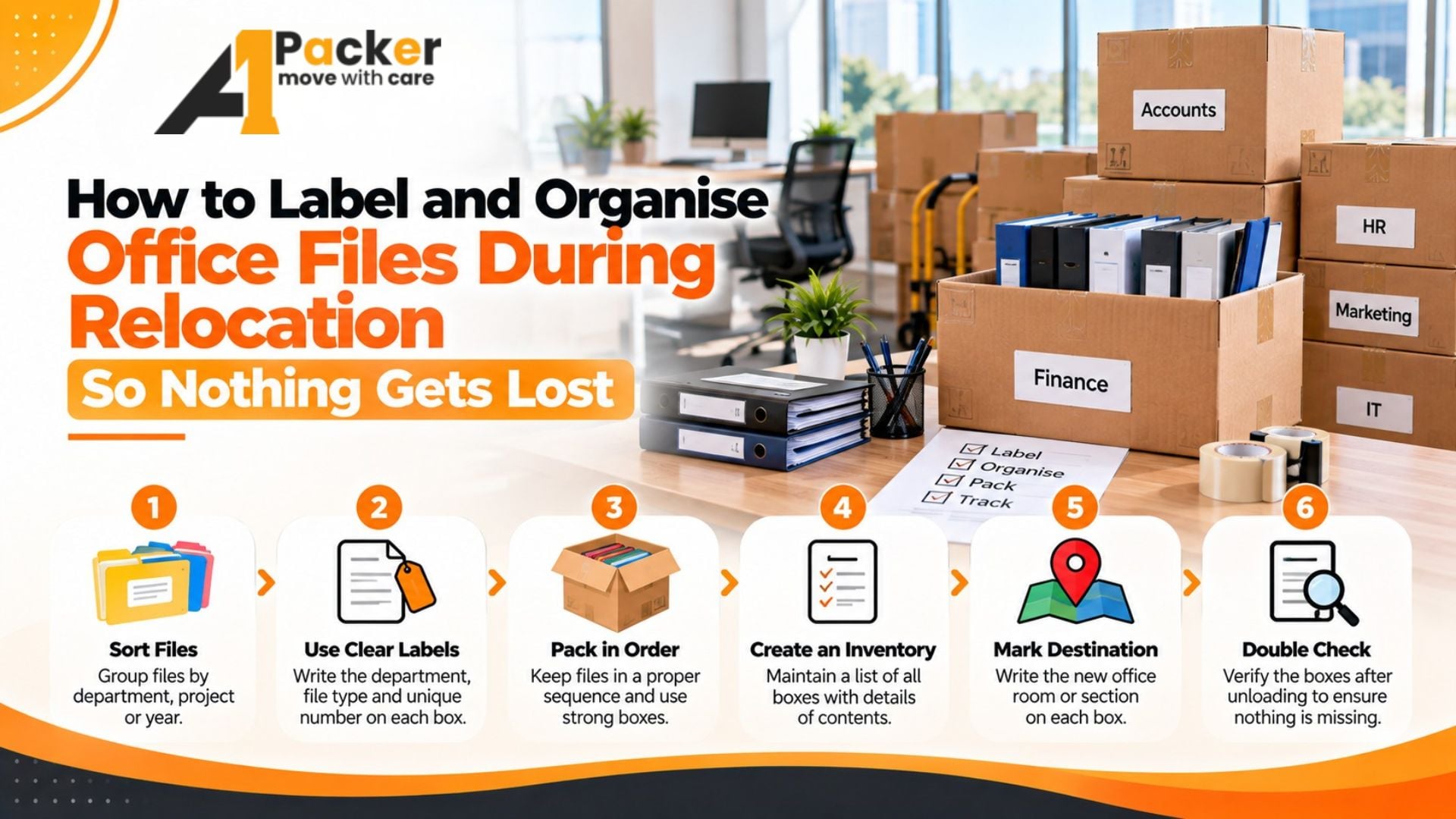
Maintain a master packing list — a spreadsheet with one row per box — that records the box number, the zone it came from, the zone it is going to, and a brief description of the contents. This spreadsheet is your insurance policy: if a box cannot be found at the new office, you check the list and know immediately what is missing and where it should have gone.
Step 3: Label Every Box on Four Sides
Do not label just the top of boxes. In a loaded truck, boxes get stacked and turned in every direction. Label all four sides and the top with:
- The box number (large, visible from two metres away)
- The destination zone code
- A one-line content description: "Accounts: 2023 vendor invoices" or "Sales: client proposal files A–M"
- Any special handling note: "FRAGILE — CONTAINS BINDERS" or "HEAVY"
Use a thick black marker on white labels. Small print and narrow markers become unreadable in a poorly lit loading bay.
Step 4: Handle Filing Cabinets Specially
Filing cabinets are one of the greatest sources of document loss during moves. The standard approach of locking the drawers and moving the entire cabinet works for most cabinets, but creates risk: locks fail, drawers slide open during transit, and files shift inside and become disordered.
For any filing cabinet that contains critical documents:
- Remove the files from each drawer and transport them separately in labelled archival boxes
- Keep the same order the files were in — do not reorganise during packing
- Label each archival box with the cabinet it came from, the drawer number, and the file range it contains: "Cabinet 2, Drawer 3, Files: Employee Records A–K"
- Move the empty cabinet separately — it is now just furniture
Step 5: Use Colour Coding for Departments
Colour-coded tape applied to box labels speeds up the sorting process dramatically at the destination. Assign a colour to each department and wrap a band of coloured tape around each box:
- Red tape — Accounts
- Blue tape — Sales
- Green tape — HR
- Yellow tape — Management
- Black tape — IT and server room
At the new office, the person directing traffic at the entrance can route boxes instantly by colour without reading every label in detail. This significantly reduces errors and speeds up unloading.
Step 6: Designate a "Do Not Pack" Area
Every office has a small category of items that must not go onto the truck — items that need to travel with a person or be handed over directly: keys, access cards, signed contracts awaiting courier, cheque books, small cash floats, and any item under active daily use on moving day.
Designate a clearly marked area in the old office — a desk or a table — as the "Do Not Pack" zone. Anything placed there is the responsibility of a named individual and travels separately from the main move. Communicate this zone to the entire team and to the movers before packing begins.
Step 7: Assign an Office Move Coordinator
The system above requires one person to own it. The office move coordinator is responsible for:
- Maintaining the master box number spreadsheet
- Distributing the zone codes and colour tape to each department
- Doing a final walkthrough of the old office before the last truck leaves to check for unlabelled boxes or left-behind items
- Being present at the new office to direct movers to the correct zones
- Checking off boxes as they are delivered against the master list
One hour of this person's time before the move and four hours on moving day prevents weeks of searching for misplaced files afterward.